

New to agents?
Zeus gives you a worker agent built from your setup that the project manager can delegate work to.
First step: Getting started — install Zeus, with Claude Code or Codex and a GitHub account signed in to gh.
Mac app for Claude Code and Codex
Zeus Mode brings your Claude Code and Codex work into one place, with the context to understand progress and see what needs your attention. Keep your existing workflow, and add planning and coordination when you’re ready to delegate more.
macOS 14 or newer · Apple silicon and Intel · Claude Code or Codex on the same Mac
01
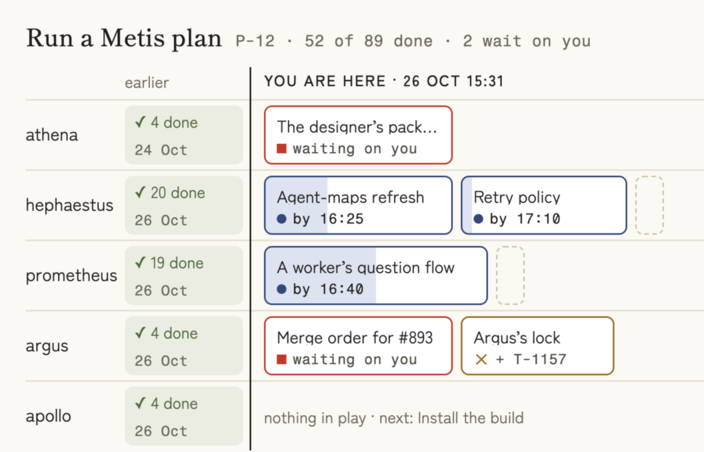
Understand what’s progressing, what’s stuck, and what changed across your agents—with the context to see whether the work is heading where you intended.

Each session: who, what it is doing, for how long
02
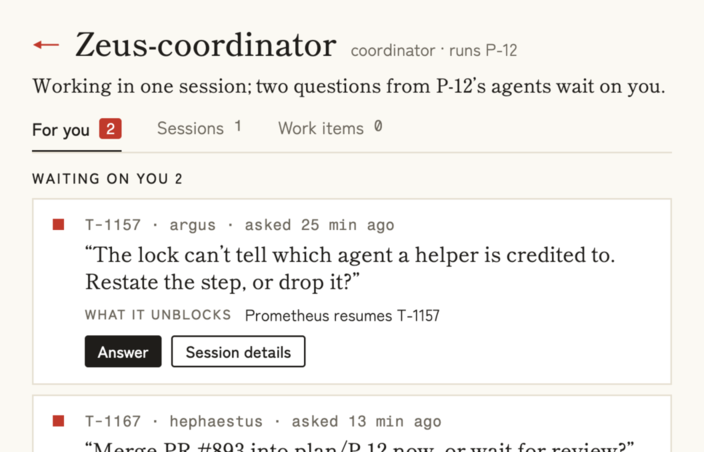
Find the questions and developments that deserve your attention, with the context to act. Spend less time piecing together what happened across sessions.

What needs you
03 · Optional planning and coordination
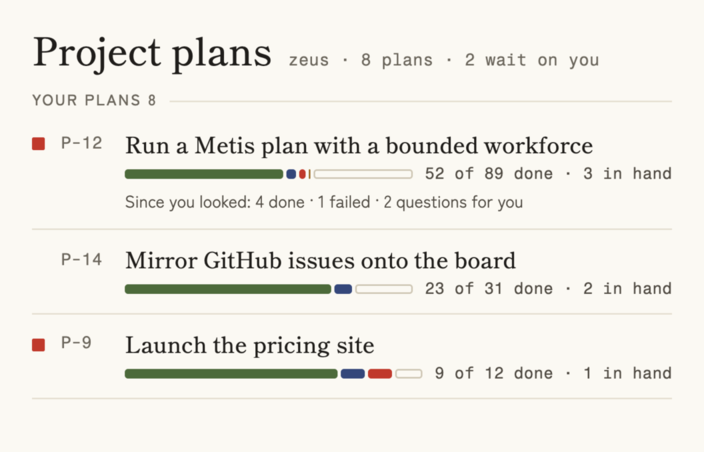
Add a project manager agent to help keep the release focused. Within your guidance, it evaluates discoveries, decides what belongs, and brings you the calls that need your judgment. You can see what it decided and why.
04
Zeus gives you a worker agent built from your setup that the project manager can delegate work to.
First step: Getting started — install Zeus, with Claude Code or Codex and a GitHub account signed in to gh.
Keep your existing sessions. Bring their progress and questions into one view, then add coordination when it helps.
First step: install Zeus beside the sessions you already run. It reads what Claude Code and Codex write on this Mac.

Never lose track of docs, PRs, questions in the volume of output. Create project plans that delegate work to your agents.
First step: connect existing work, then try one bounded project with the project manager — Planning with metis.
You don’t need a fleet to start. Adopt more as your work grows.
Download Zeus for Mac05
What you need, what Zeus reads, where your work stays, and what changes on day one. The setup guide has the rest.
Working with a team? Joining a team covers what a team sees and what stays on your Mac.
macOS 14 or newer · Apple silicon and Intel