Two coding sessions, and the one that needs you
You have a Claude Code session in one terminal and a Codex session in another. One of them stops to ask you something. Until you open each terminal, you do not know which one, or what it asked.
Zeus Mode for Claude Code and Codex is a Mac app with a small background program. The background program watches every Claude Code and Codex session on your Mac, and the app shows, in one window, what each session is doing and which ones wait on you.
This post shows one real run, with a picture of each step.
The run
On 11 November 2026, two sessions ran at the same time in tinytodo, a small demo project:
| Zeus Mode | 0.35.0 |
| macOS | 27.0.1 |
| Claude Code | 2.1.322 |
| Codex | 0.166.0 |
The Claude Code session’s work was “Research new ways to build demos of Zeus.” The Codex session’s work was “Summarize agent responsibilities”. The pictures below were taken during that run. They are made smaller, and nothing else in them is changed.
Both sessions in one list
Open Zeus Mode (the app is called Zeus in your Applications folder), and pick Sessions on the Dashboard. Both sessions are in the same list, one row each, with the work each was given and what it is doing now.
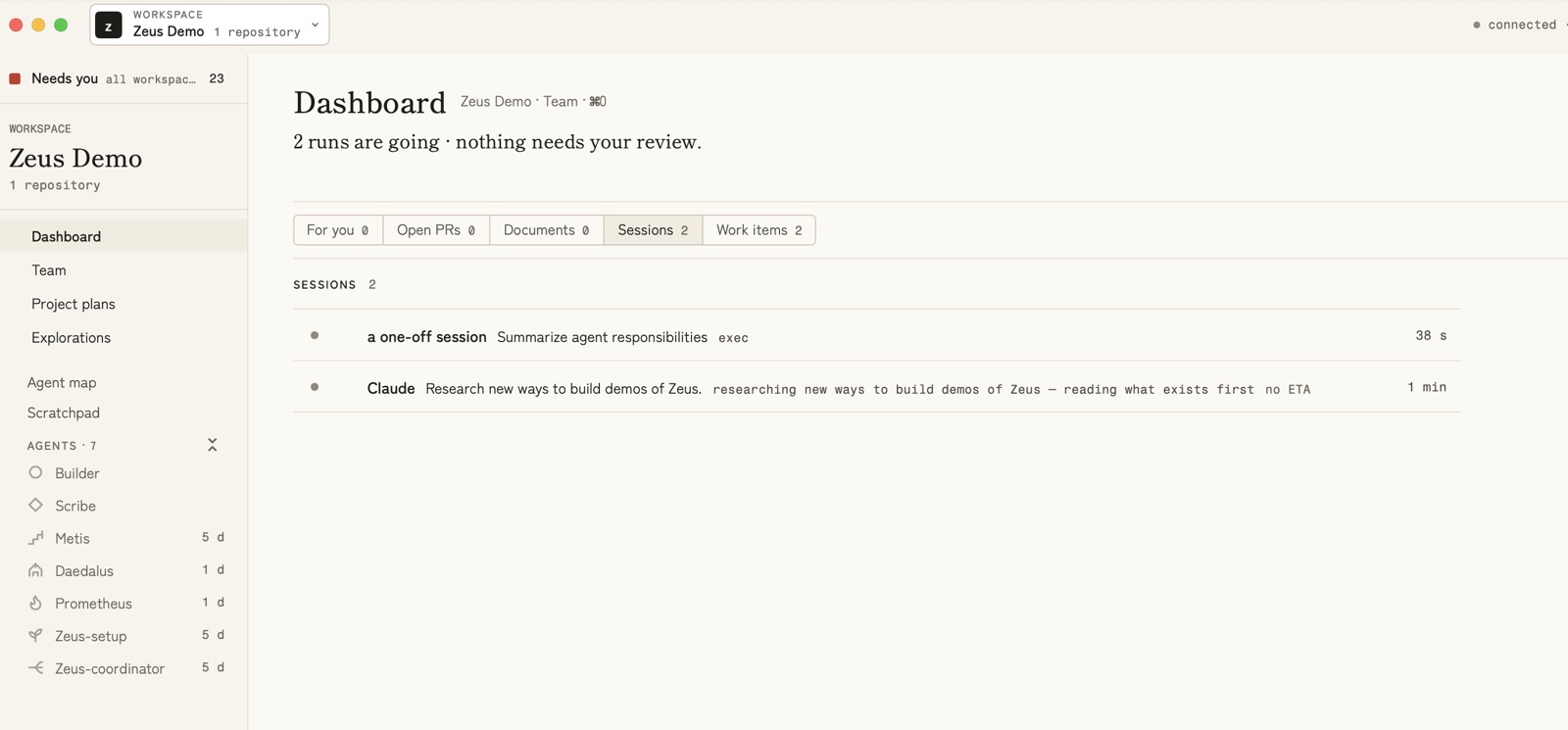
A row does not print the tool’s name. A session that works as an agent
shows the agent’s name. A session that works as no agent — what you get
when you start claude or codex in a terminal and give it no agent name —
is called a one-off session. Here, the Codex session had no agent name.
The Claude Code session had given itself the agent name claude, so its row
says Claude. A Claude Code session with no agent name would also be a
one-off session.
One of them asks you something
The Claude Code session stopped and asked which demo to build, with four choices. The count beside For you went to 1. Under For you, the question waited as a card:
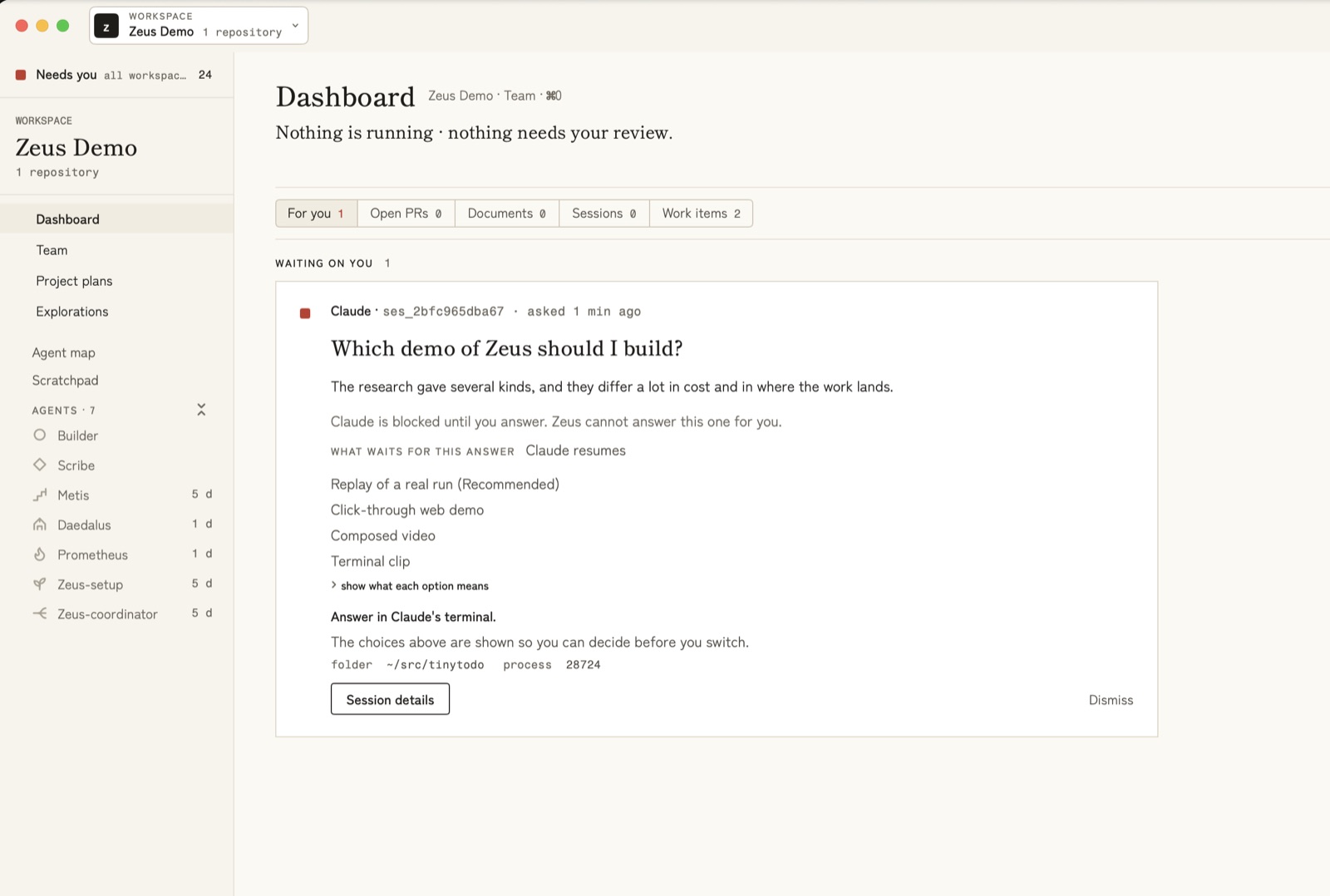
The card says who asked, and when. It shows the question and its choices, with the one the session recommends marked. It says what waits for your answer: here, “Claude resumes”. And it says where to answer: “Answer in Claude’s terminal.”
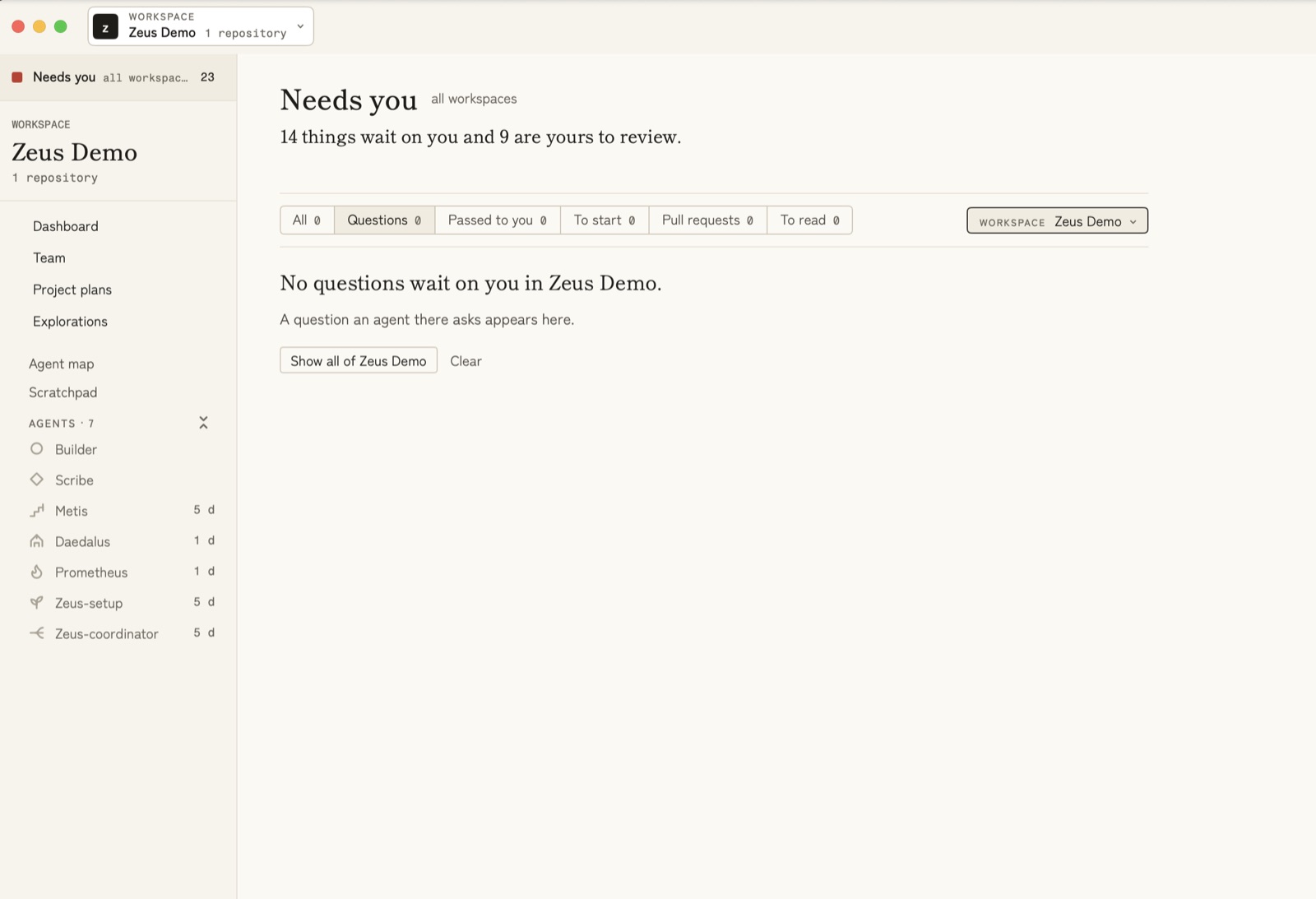
This session had an agent name. On the Needs you page, the app’s own words are “A question an agent there asks appears here.”
The other one finished, and waits too
The Codex session did what it was asked, then waited for its next message. The app no longer counted it as running. It listed it in a group of its own, OPEN, WAITING FOR YOU, with how long it had waited:
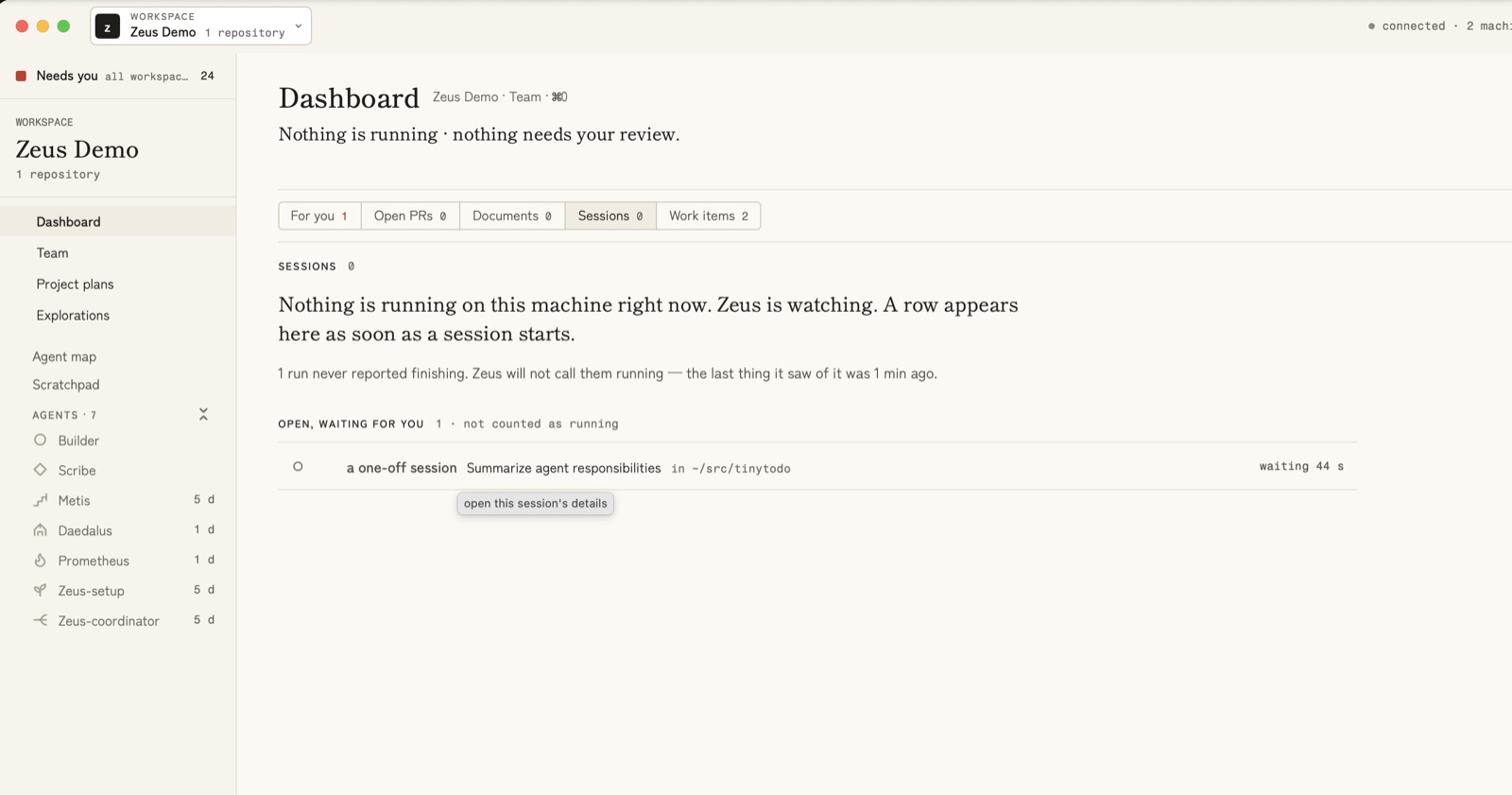
So both sessions were waiting on you, in two different ways: one with a question, one with finished work.
You answer in the terminal
Needs you, at the top of the sidebar, gathers what waits on you from all your workspaces. The same card was there, under Questions.
The answer itself goes where it always did: the session’s own terminal. Once it was typed there, Zeus Mode saw it, and the question left the list:
What it does not do
- It never answers for you. It shows you which session waits, and where to answer. You answer.
- It is a Mac app only: macOS 14 Sonoma or newer, on Apple silicon or Intel. There is no Windows or Linux version.
- It works with Claude Code and Codex, and no other coding tool. You need one of them, or both, on the same Mac.
- It needs GitHub’s command-line tool,
gh. Zeus Mode signs it in for you. - Its source code is private. The app is a download.
Try it
| Already have Zeus Mode | New to Zeus Mode |
|---|---|
| Installed from the download: it updates itself. To check now, choose Zeus ▸ Check for Updates… in the menu bar. | You need a Mac with macOS 14 or newer, and Claude Code or Codex installed on it. |
Installed with Homebrew: it updates itself the same way, and brew upgrade zeus works too. | Download Zeus Mode from zeusmode.ai/download →, or run brew install zeus-mode/tap/zeus. Then open it and follow the set-up screen. |
The guide Which of my coding sessions needs me? → walks through this run step by step, with pictures. It was checked on Zeus Mode 0.35.0. Can I see my Claude Code and Codex sessions in one place? → shows how both tools share one list.
For bigger work across several agents, see How to use metis → and How to use the coordinator →.