Which of my coding sessions needs me?
You started three coding sessions, went to read something, and one of them stopped to ask you a question. This page shows how Zeus Mode tells you which one, and what it asked, without opening every terminal.
Checked on 18 November 2026 with Zeus Mode 0.41.0 on macOS 27.0.1. The pictures were taken earlier, on Zeus Mode 0.35.0 with Claude Code 2.1.322 and Codex 0.166.0, in a small demo project called tinytodo.
What Zeus Mode is
Zeus Mode for Claude Code and Codex is a Mac app with a small background program. The background program watches every Claude Code and Codex session on your Mac. The app shows, in one window, what each session is doing and which ones wait on you.
You keep the terminals you already use. Zeus Mode is one more window. It never answers a question for you: you still answer in the session’s own terminal.
Before you start
- Zeus Mode on your Mac, set up and running. If you do not have it yet, follow Getting started with Zeus Mode.
- The repository in a workspace. A workspace is the group of repositories one Dashboard shows; its name is at the top left of the window. The repository your sessions run in must be one of them, and that workspace must be picked. In the pictures, the workspace is Zeus Demo, with one repository, tinytodo.
- One or more sessions of Claude Code or Codex, running in that repository.
1 · Open the Dashboard
Open Zeus Mode: the app is called Zeus in your Applications folder. The page Dashboard opens. One line at the top counts the sessions that are running (it calls them runs) and what needs your review — for example “2 runs are going · nothing needs your review.” Questions are not in this count.
Under it is a bar with five parts: For you, Open PRs, Documents, Sessions and Work items. Each part shows a count.
2 · See every session in one list
Pick Sessions in the bar. Each running session has one row: its name, the work it was given, and what it is doing now.
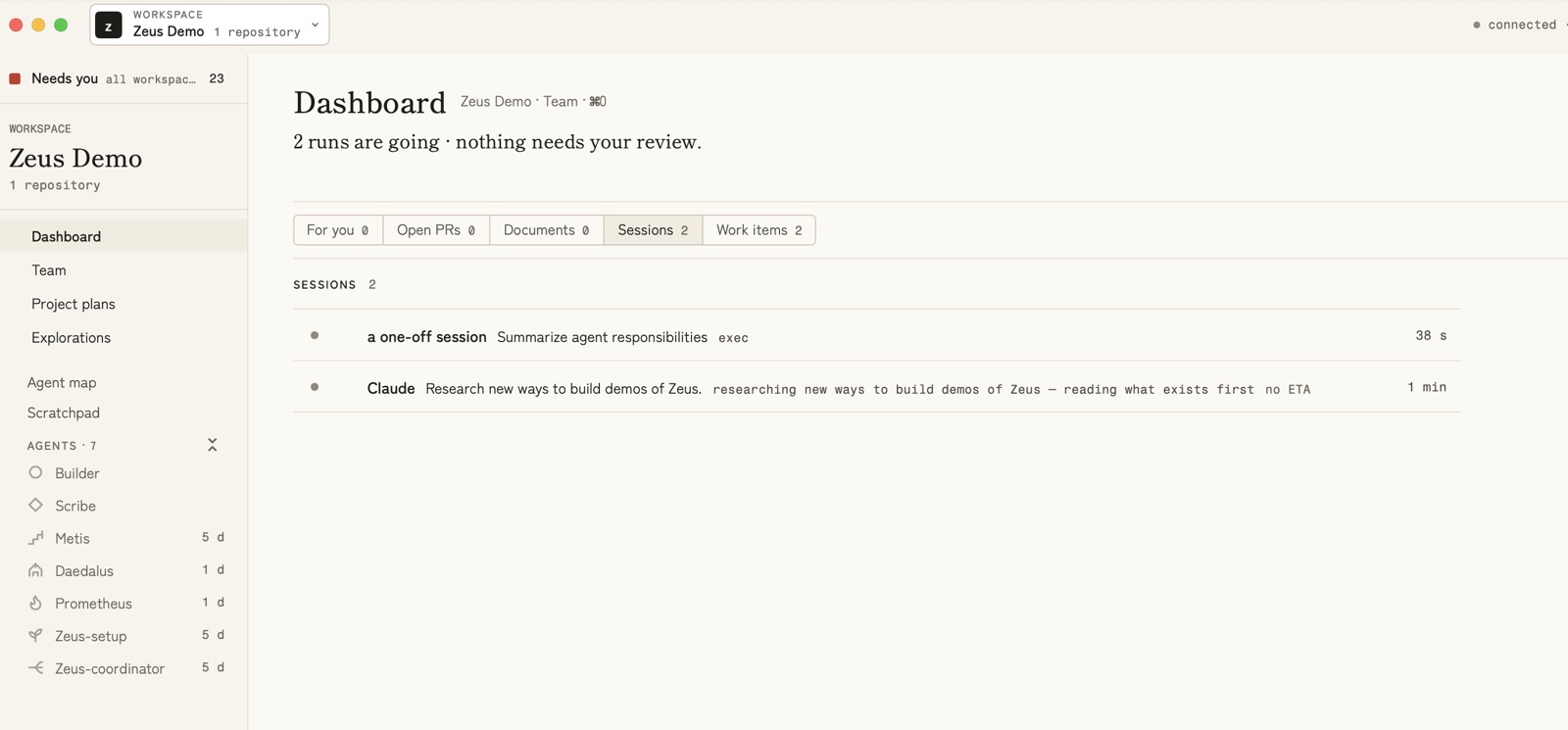
The row does not print the tool’s name. A session that works as an agent
shows the agent’s name. A session that works as no agent — what you get when
you start claude or codex in a terminal and give it no agent name — is
named a one-off session.
In the picture, a one-off session is a Codex session started that way.
The row Claude is a Claude Code session that had given itself the agent
name claude; a Claude Code session with no agent name would also be
a one-off session.
3 · A session asks you something
In the pictures, the Claude Code session — the one with an agent name — stopped to ask a question with four choices. The count beside For you went up to 1. Pick For you in the bar: the question is there, under WAITING ON YOU, as a card.
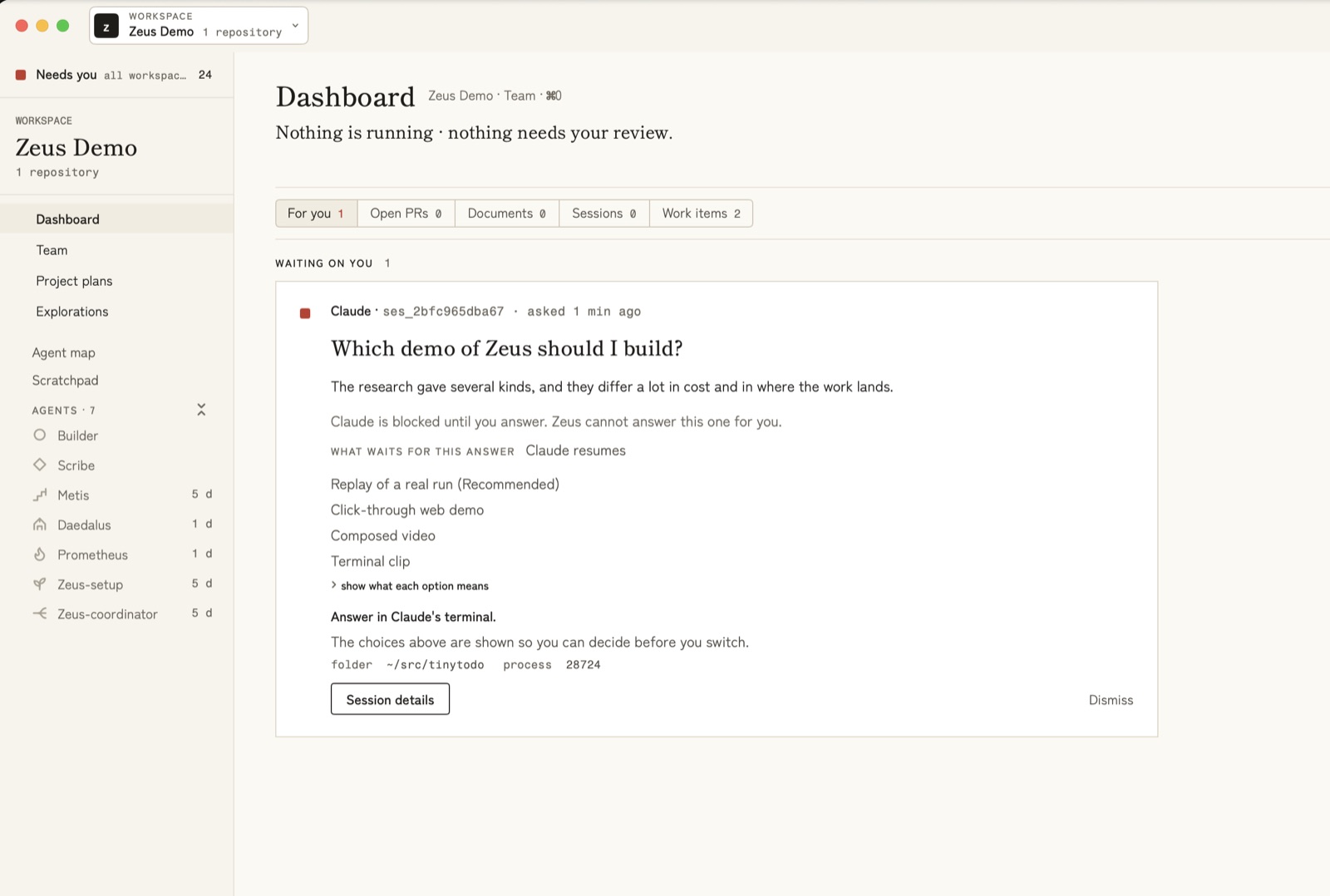
The card tells you:
- who asked, and when — here, “Claude · … · asked 1 min ago”;
- the question, and the choices it offers, with the one the session recommends marked “(Recommended)”;
- what waits for your answer — here, “Claude resumes”;
- where to answer — “Answer in Claude’s terminal.” The card shows the choices so you can decide before you switch;
- which folder the session runs in, and its process number.
Session details opens more about the session. Dismiss takes the card off the Dashboard; nothing is deleted.
A session with no agent name that finished its work
The Codex session — the one with no agent name — did what it was asked and then waited for its next message. Under Sessions, it was listed in its own group, OPEN, WAITING FOR YOU, “not counted as running”, with how long it had waited:
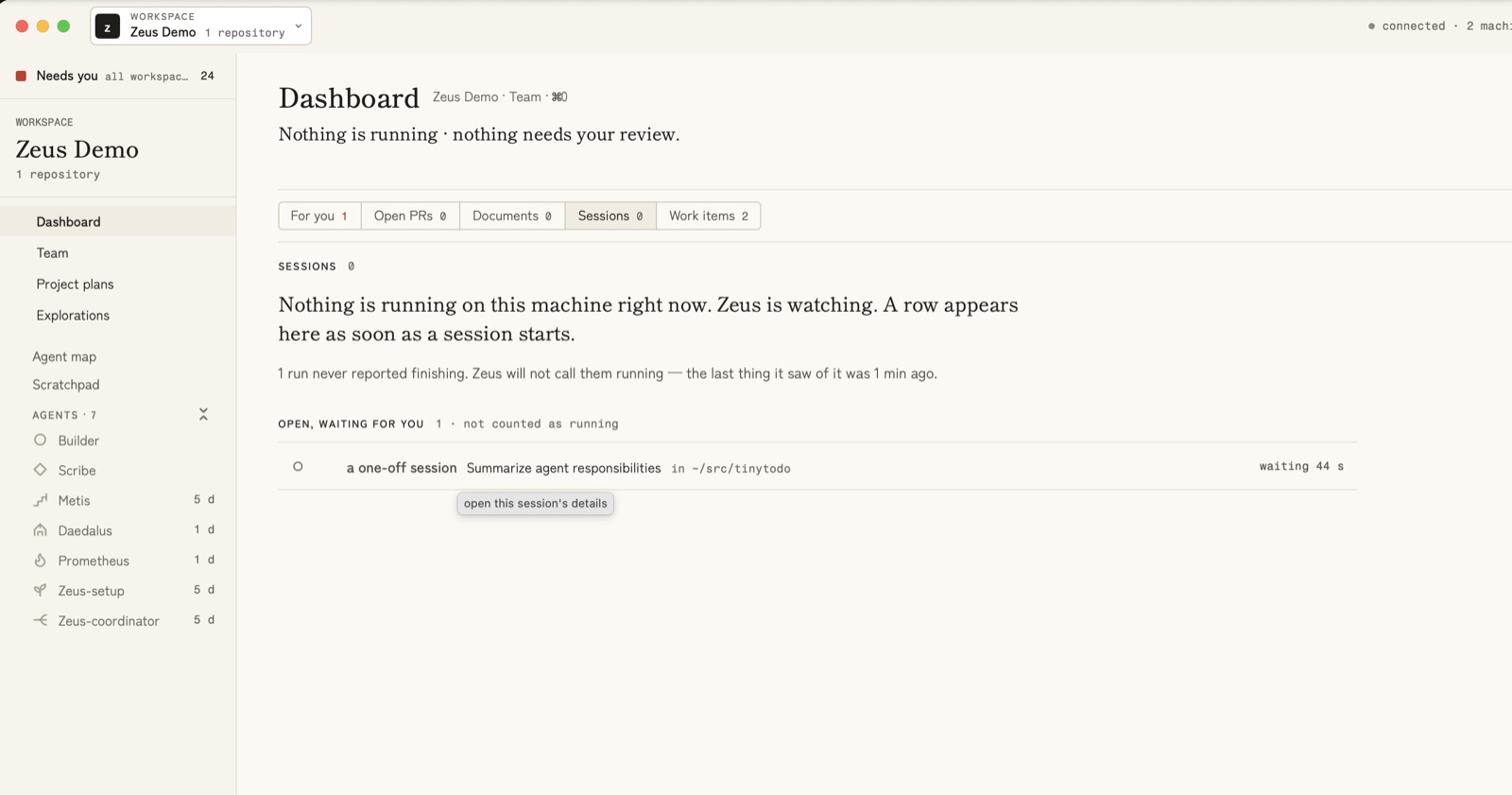
At that moment the Sessions list itself was empty: “Nothing is running on this machine right now.”
4 · Every question, from every workspace
Needs you, at the top of the sidebar, gathers what waits on you from all your workspaces. Its bar has seven tabs: All, Questions, Passed to you, To start, Pull requests, Given to you and To read. Each tab always shows its number, also when it is 0. The WORKSPACE button on the right shows one workspace at a time: set it to the workspace your repository is in.
In a small window, nothing is cut off. First the button loses its small word “WORKSPACE”. Then it moves to a second line, under the tabs. If the window is narrower still, the tabs scroll sideways. The Dashboard’s tabs (For you, Open PRs, Documents, Sessions and Work items) also always show their numbers, and scroll sideways when the window is too narrow.
Pick Questions to see only the questions. The same card is there:
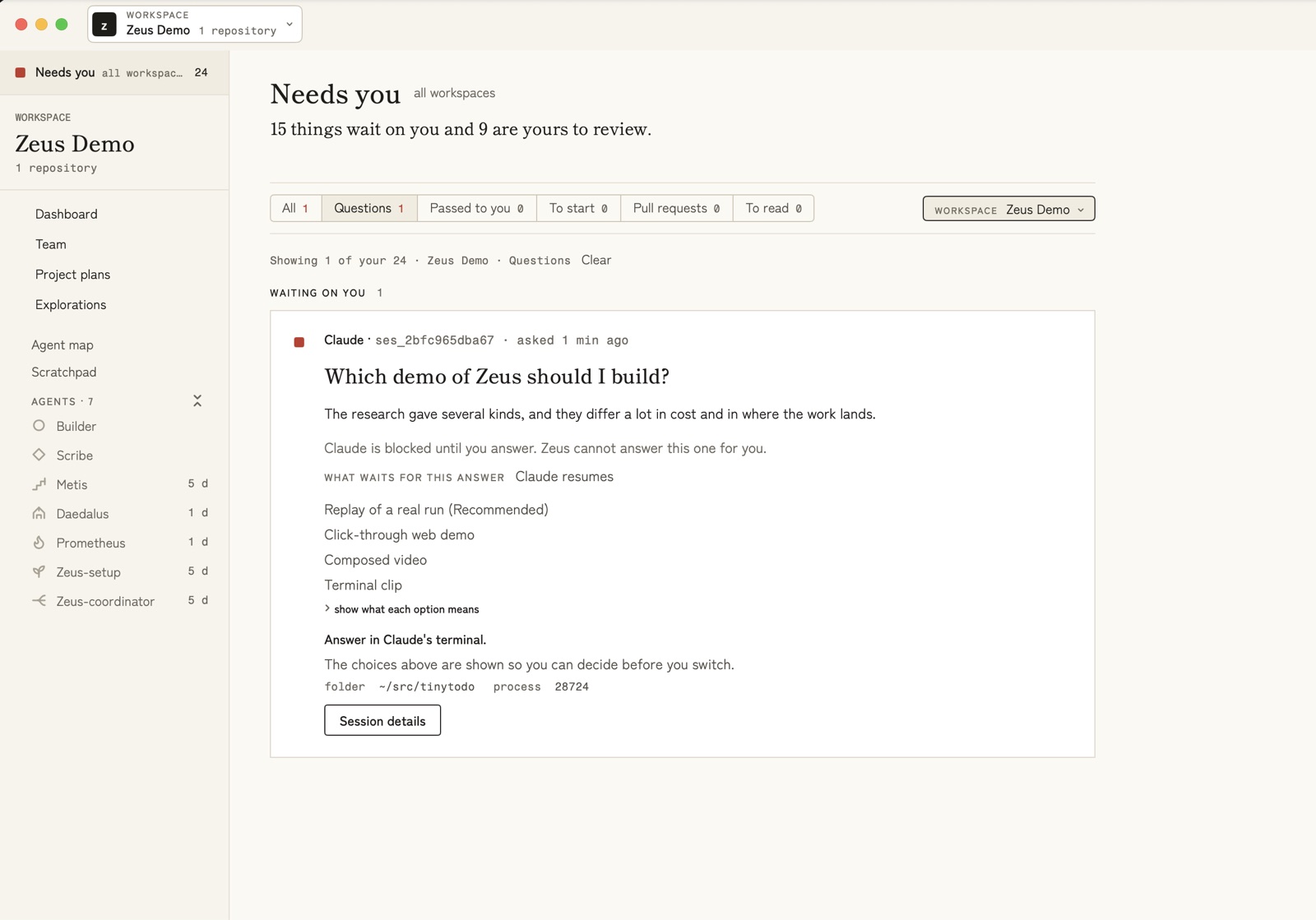
The larger counts on this page and beside Needs you in the sidebar come from other workspaces on the same Mac.
5 · Answer in the session’s terminal
Switch to the session’s terminal and answer there. Zeus Mode sees the answer, and the question leaves the list:
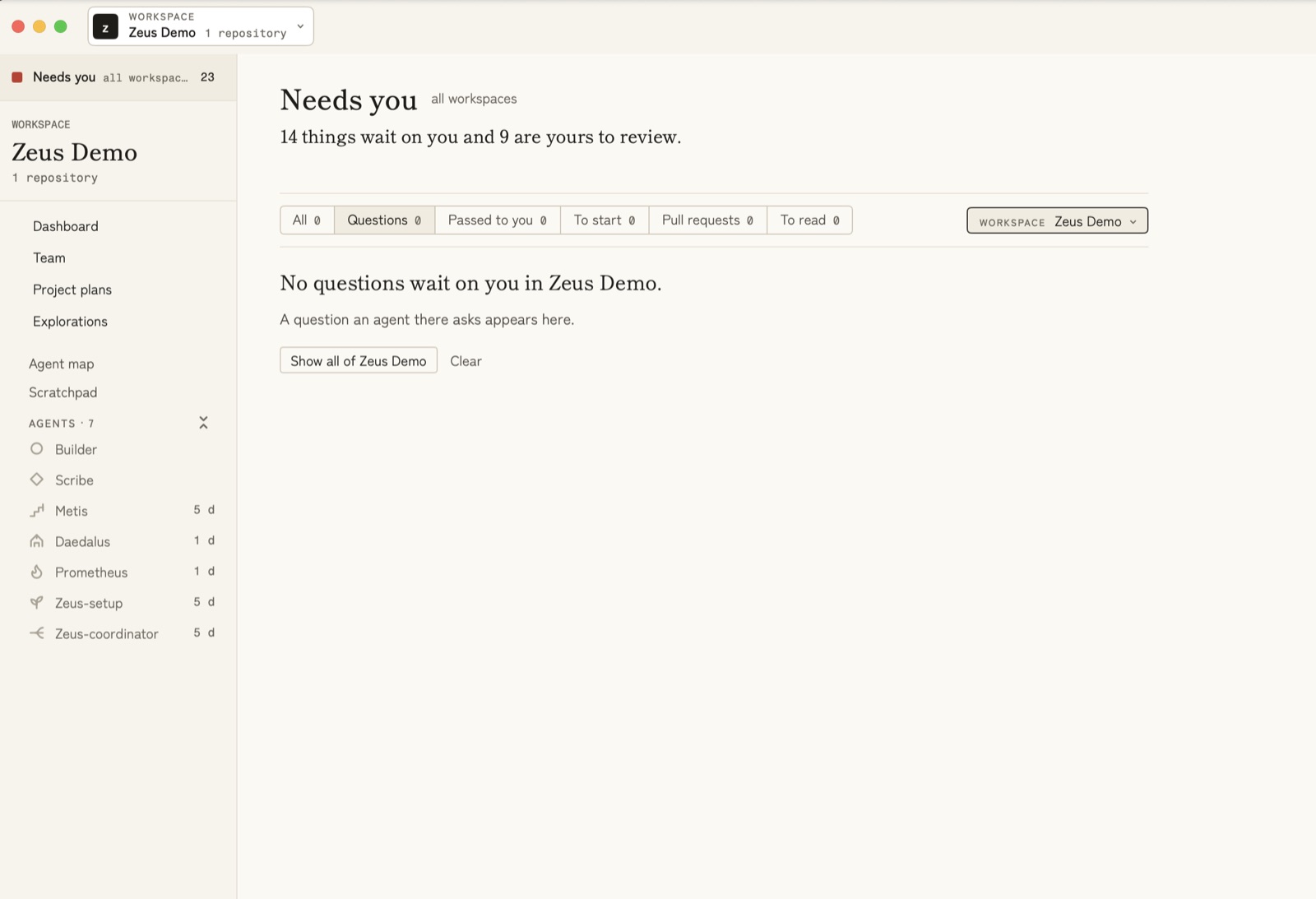
The count beside Needs you in the sidebar goes down by one.
6 · When a page says “Not refreshed since”
Sometimes the Zeus Mode app loses its link to its background program for a moment, for example when your Mac is very busy. Sometimes the background program cannot read your work for a moment. In both cases, the lists stay on the screen. Under the page’s title, a line such as Not refreshed since 14:52 tells you the lists show your work as it was at that time. You can see this line on Needs you, the Dashboard, Project plans, Explorations, and a plan’s or an exploration’s own page.
While the line shows, some buttons do nothing and tell you why. A button that sends something from the app — a plan step’s or an exploration round’s button, or an answer you give in the app — says:
- after a reconnect: “Service unavailable — Zeus is connecting again to its background program. Nothing was sent. Try again in a moment.”
- when your work could not be read: “Zeus could not read your work just now. Nothing was sent. Try again in a moment.”
So nothing is lost: wait a moment and try again. The line goes away by itself when the lists are fresh again. Your teammates keep seeing your last summary in the meantime.
Next
- Can I see my Claude Code and Codex sessions in one place? shows how both tools share the same list.
- Planning work across agents with metis shows how to hand a bigger piece of work to several agents at once.